PL Creators Suite
A modular desktop creation platform bringing specialized creator
applications and powerful computational engines into one connected,
extensible environment.
Built around local projects, user-controlled workflows, and an
offline-first foundation, PL Creators Suite is designed to support
creative production, software development, technical work, and
experimentation without requiring a permanent cloud connection.
Latest public release
Public Beta Available
V1.0 Beta establishes the foundation of the desktop platform,
six creator applications, local project workflows, and early
engine systems. Development continues beyond this public build.
- Available for Linux and Windows
- Local-first desktop application
- Multiple connected creator workspaces
- Early public testing and feedback phase
- Additional beta versions planned before official v1
Active development:
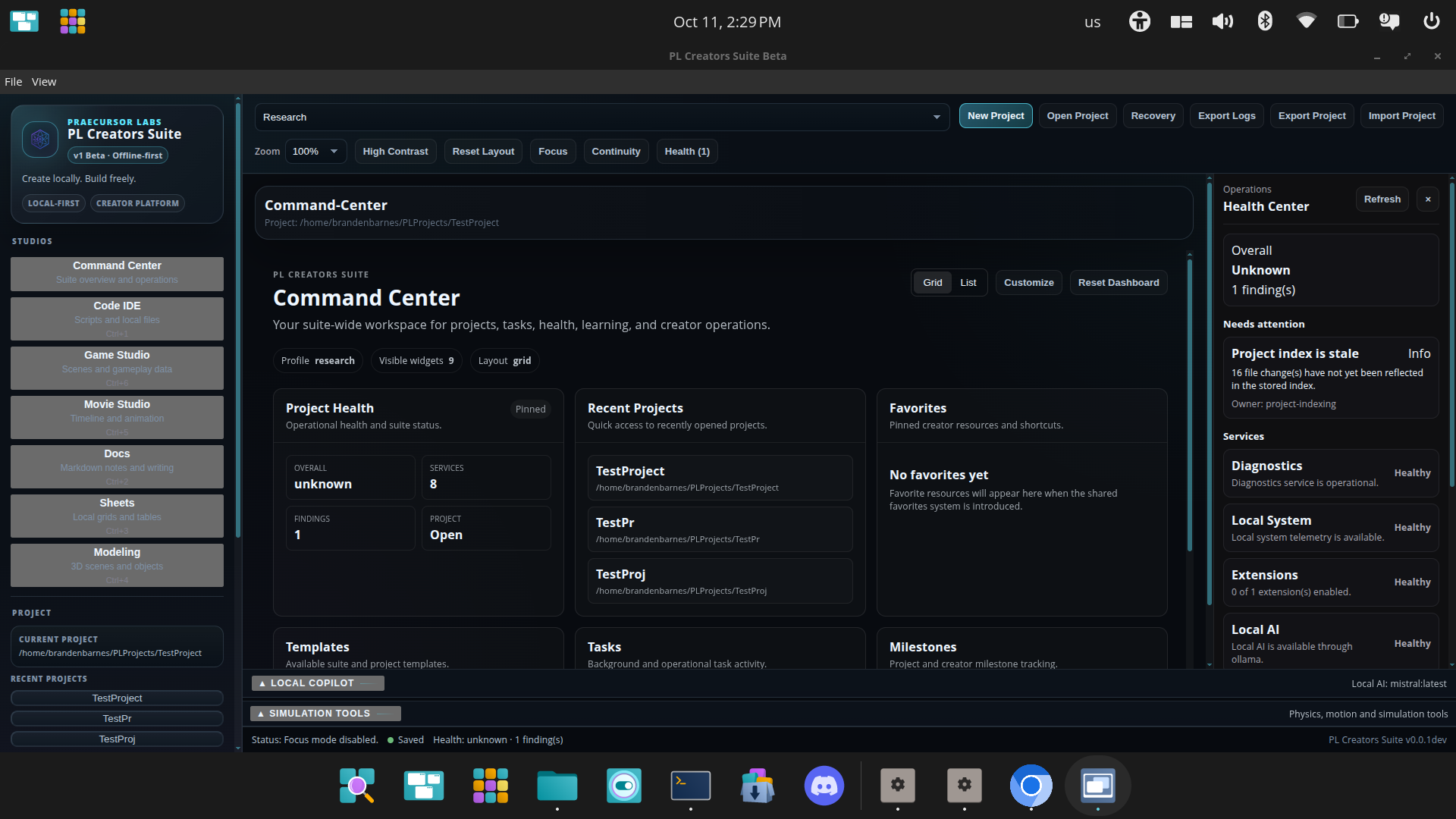
V1.3.3 · Command Center health, diagnostics, and operational visibility.
One connected environment for different kinds of creative work
PL Creators Suite is an integrated desktop creation platform built
around specialized creator slices and independently developed core
engines. Both are first-class systems, supported by shared projects,
resources, platform services, and extensible workflows.
Creator slices provide focused environments for different kinds of
work, while core engines provide computational and processing
capabilities that can serve multiple applications. The platform is
designed to remain local-first, modular, configurable, and capable
of expanding through optional extensions and cloud services.
Six Creator Slices
Each creator slice is a first-class application environment with
its own development path, capabilities, and workflows. Slices can
operate individually while sharing platform infrastructure and
selected engine capabilities.
Code IDE
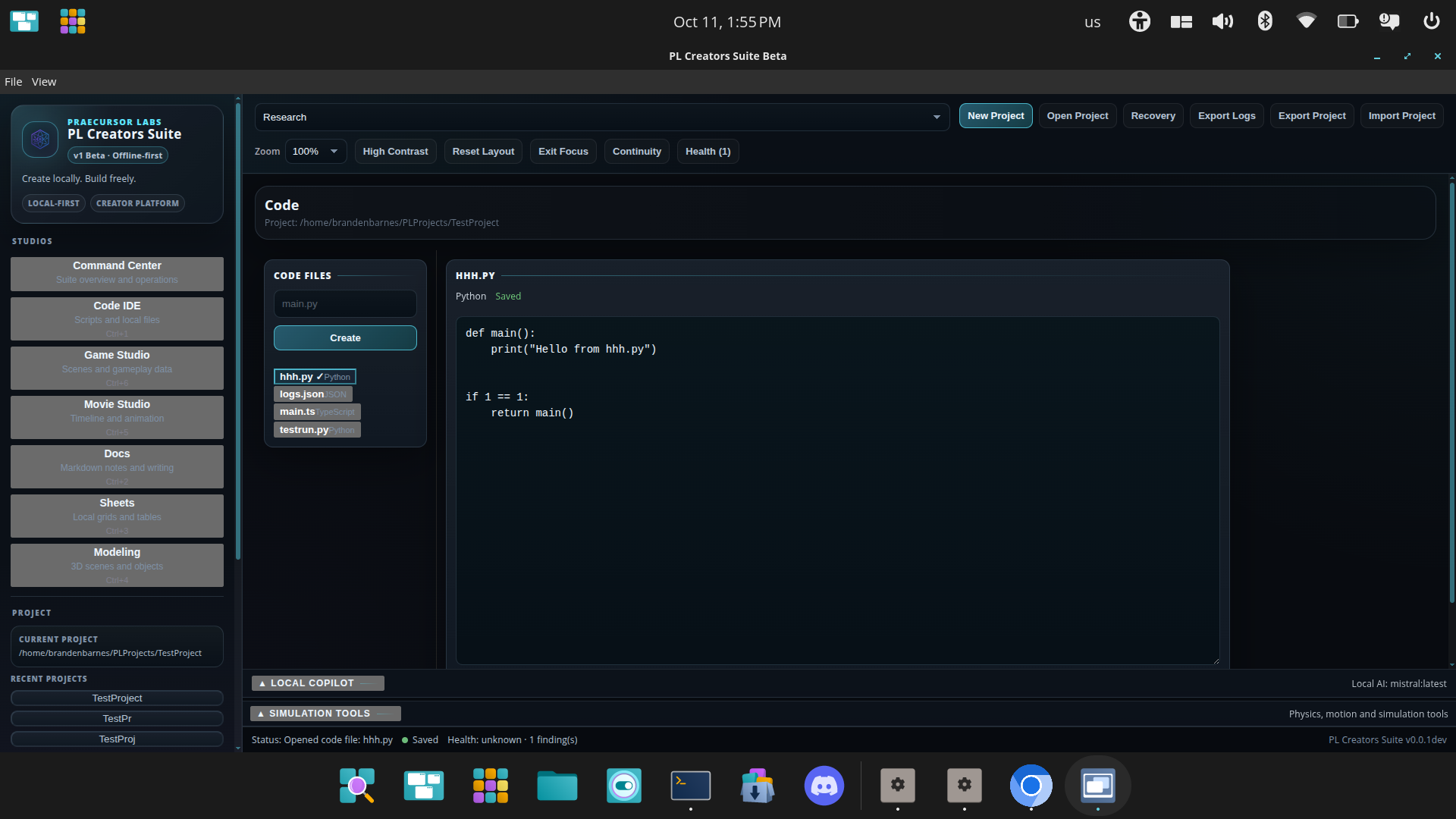
A coding workspace for project files, editing, development tools, and future terminal and AI-assisted workflows.
Documents
A document workspace for writing, formatting, project documentation, and connected creative planning.
Spreadsheets
A spreadsheet workspace for structured information, calculations, planning, tracking, and project data.
3D Modeling
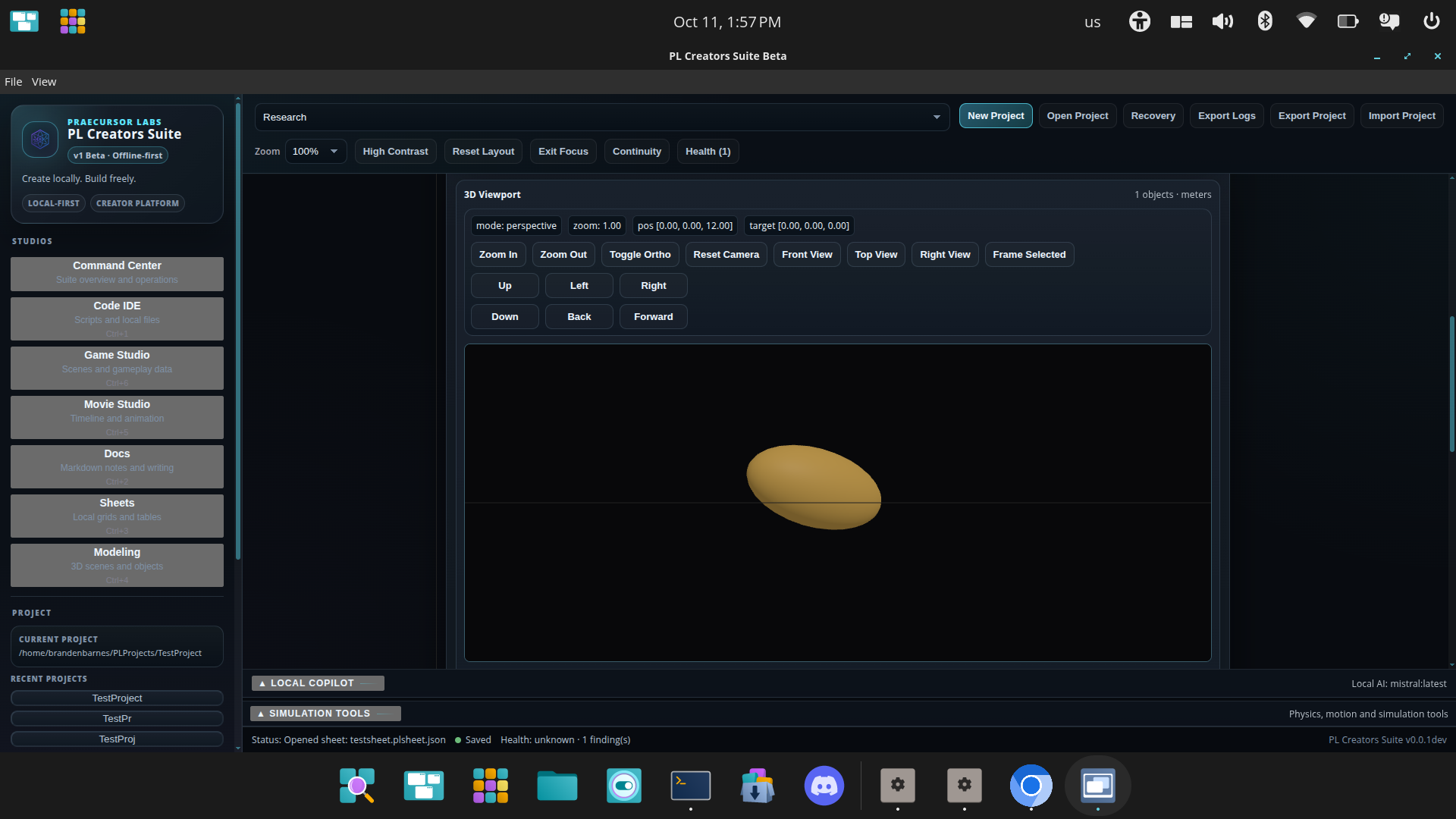
A 3D workspace for scenes, objects, transforms, modeling tools, engineering workflows, and simulation.
Movie & Animation
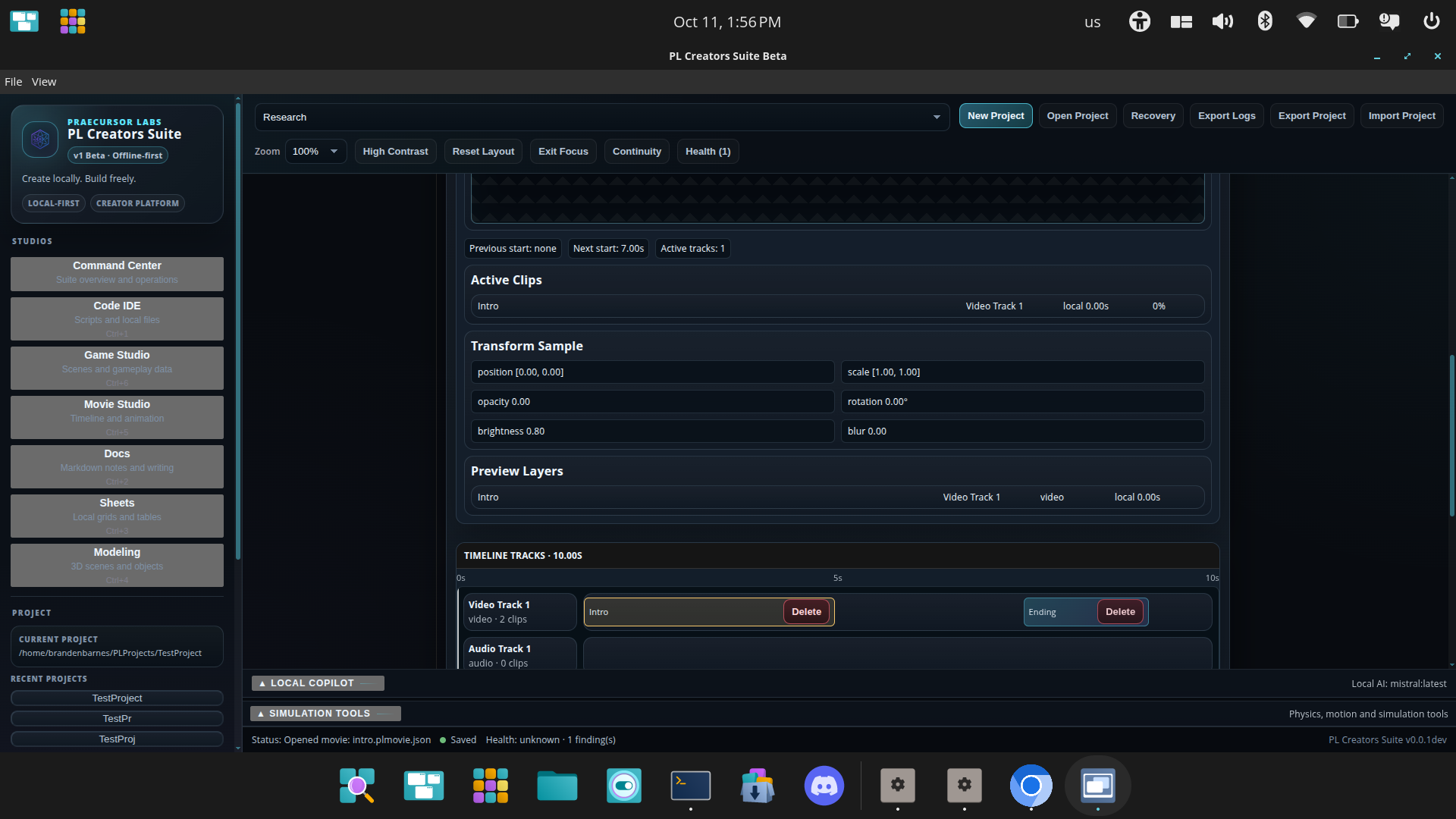
A visual production workspace for scenes, timelines, animation, sequencing, and media creation.
Game Development
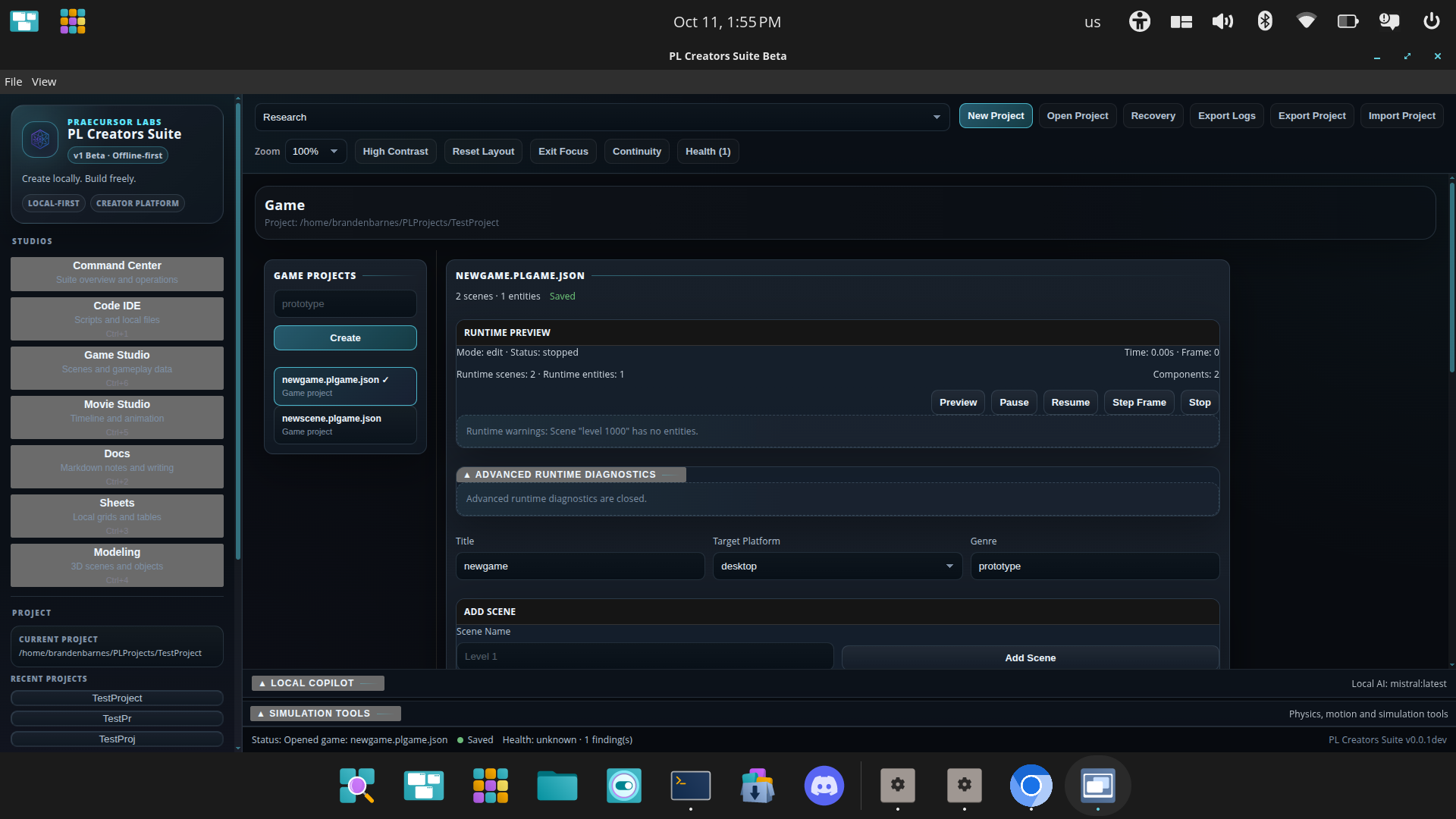
A game creation workspace for scenes, entities, scripts, assets, logic, testing, and connected project development.
Creator Slices & Core Engines
PL Creators Suite is built around two complementary groups
of first-class systems: creator applications and the engines
powering their capabilities.
Core engines are independently defined computational systems,
designed with their own architectures, development milestones,
testing requirements, and performance considerations.
Their capabilities can be exposed across different slices
and through extensions.
Computational & Mathematical Systems
Foundations for calculation, structured computation,
mathematical operations, and technical workflows.
Additional scientific capabilities are planned.
Physics & Simulation
Engine development for simulated motion, physical
interactions, experiments, and reusable simulation
functionality across creator environments.
Geometry & Modeling
Geometry processing, object transforms, scene
representation, and 3D visualization capabilities
supporting modeling and technical creation.
Animation & Runtime Systems
Timeline processing, animation foundations,
scene behavior, runtime execution, and the
systems needed for interactive creation.
Shared Platform Infrastructure
Alongside the creator slices and core engines, shared platform
systems coordinate local projects, files, resources,
diagnostics, recovery, workflows, and extension interfaces.
These systems provide the common foundation without requiring
every creator application to become a single monolithic tool.
A working foundation—not the finished suite
V1.0 Beta is an early public validation build. It demonstrates that the desktop shell, project architecture, creator workspaces, local project handling, and several core engines can operate together inside one application.
The public V1.0 Beta should not be confused with newer development
milestones. Features introduced after the July 2026 release,
including recent Command Center improvements, are not necessarily
available in the downloadable beta.
Many tools are still at an early capability level. Individual workspaces do not yet match the depth of mature applications such as professional office suites, full development environments, established 3D tools, or commercial game engines. Reaching that level is part of the continued roadmap rather than something this first beta claims to have already completed.
Currently established
- Desktop application shell
- Local project creation and handling
- Project manifests and project packaging
- Recent-project workflows
- Six creator-focused workspace foundations
- Early editing panels and workspace tools
- Modeling viewport and transform systems
- Physics, simulation, animation, and engine foundations
- Linux and Windows beta builds
Still being expanded
- Deeper tools within every workspace
- More complete editing and creation workflows
- UI consistency and visual polish
- Performance and stability improvements
- Import, export, and file compatibility
- Advanced 3D modeling and simulation tools
- Advanced animation and game-development workflows
- Accessibility and onboarding
- Deeper local AI integration and assistance
- Production-ready third-party extension support
- Collaboration and optional cloud augmentation
Build an Environment Around Your Work
PL Creators Suite is designed for user-configured customization.
Extensions can add individual capabilities, specialize a single
creator slice, or coordinate functionality across multiple slices
and core engines.
Individual Extensions
Focused additions that provide a specific tool, capability,
integration, or workflow.
Slice-Specific Packs
Collections of extensions that deepen or adapt a particular
creator slice for more specialized work.
Suite-Wide Packs
Coordinated extension collections combining capabilities
across multiple creator slices and engines.
Planned Examples
Future packs may include engineering-oriented workflows and
configurations that expand game-development tools into broader
simulation applications. These are planned capabilities,
not products available in the current public beta.
Active Development Toward Official V1
PL Creators Suite is progressing through completion-gated
development milestones. Each stage focuses on verified
functionality, project safety, compatibility, and
reliable creator workflows.
V1.0 Beta — Public Release
Released July 18, 2026. Establishes the desktop
foundation, creator slice environments, local project
handling, and early core engine functionality.
V1.3.2 — Development Milestone
Development focused on session continuity, recovery,
restart restoration, and resilience of creator workflows.
V1.3.3 — Active Development
Recent development includes unified health reporting,
local telemetry, service health adapters, and the
Command Center Health Center interface.
Latest Validation
The October 8, 2026 committed development build passed
its GitHub Actions validation workflow, including
TypeScript checks, security auditing, shared service tests,
project recovery tests, and production-build checks.
Additional health diagnostics, export validation, and
platform-specific release testing remain ongoing.
Development validation does not certify the earlier
public release for every supported configuration.
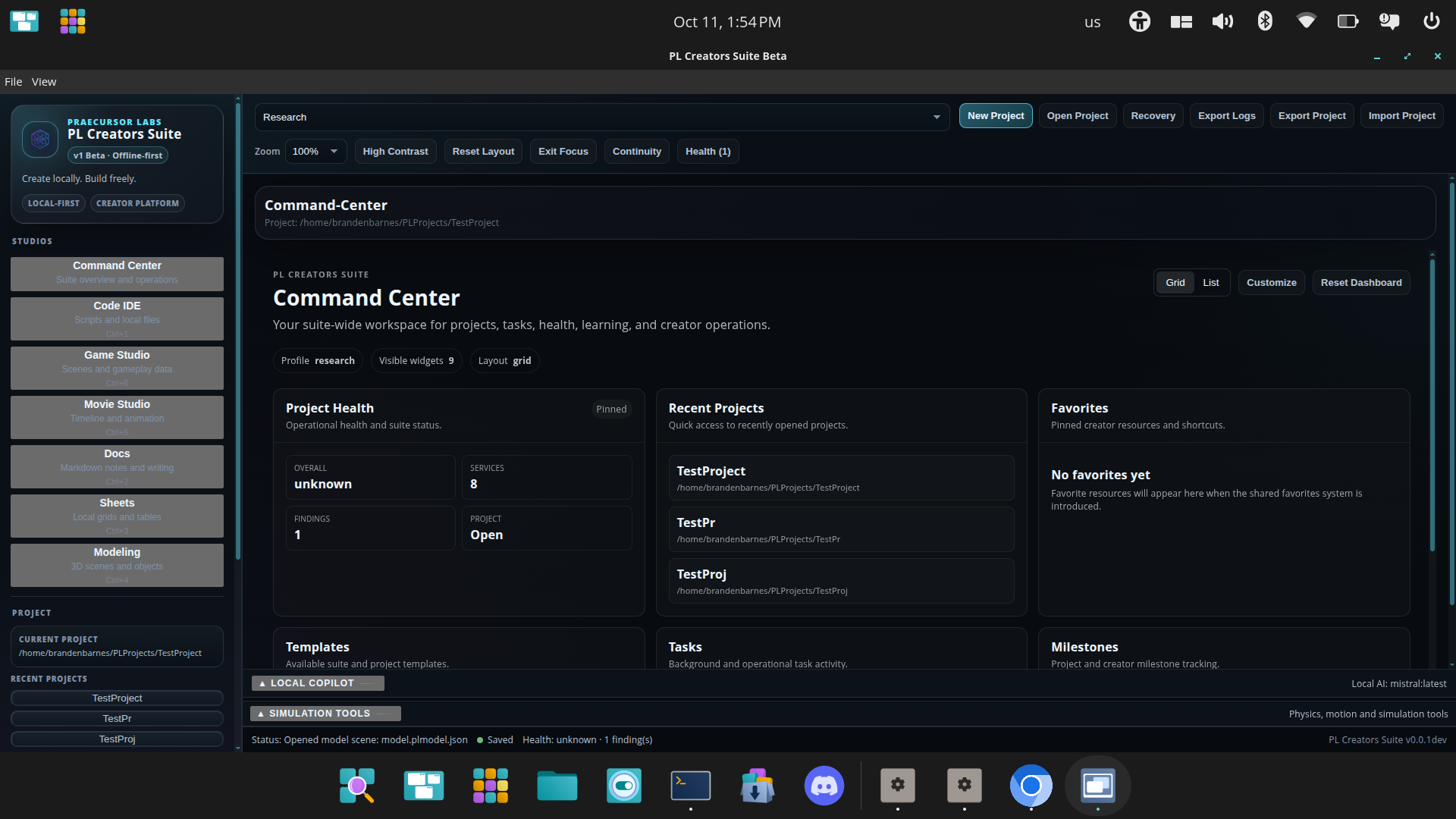
A Look at the Development Build
Explore the creator applications, computational tools,
and shared platform features currently being developed.
These screenshots show a newer development build and
may differ from the available V1.0 public beta.
The Road Toward a Complete Creator Platform
Development continues through staged beta milestones toward
Official V1. These milestones expand the creator applications,
strengthen the underlying engines, improve shared platform
services, and establish more complete creation workflows.
Future platform development also includes more advanced extension
support, configurable automation, local AI capabilities,
collaboration, and optional cloud augmentation. Release timing
follows implementation and validation progress rather than
fixed public deadlines.
Long-term priorities
- Substantially deeper functionality in all six workspaces
- Advanced physics and simulation capabilities
- Professional modeling, animation, and game-development workflows
- Connected project and asset management
- Local-first AI assistance
- Extensions and configurable creator workflows
- Optional cloud sync and small-team collaboration
- Strong Linux and Windows support
Important beta notice
Beta software may contain bugs, incomplete features, unexpected behavior, or compatibility issues. Do not use a beta build as the only location for important project files.
Keep backups of anything important and treat these releases as testing builds while the project continues toward official v1.
Release history
Select a version below to view its release information, operating-system downloads, installation instructions, known limitations, and testing notes.
V1.0 Beta
Current Release
Current Release
Release overview
V1.0 Beta is the first public testing release of PL Creators Suite. It introduces the current application foundation, local project workflows, six creator workspaces, and the early engine systems developed during the initial roadmap.
Release: V1.0 Beta
Status: Public beta
Platforms: Linux and Windows
Price: Free
Choose your operating system
Linux
64-bit
Download the Linux beta package for supported 64-bit Linux desktop systems.
Linux installation instructions
- Download the Linux AppImage.
- Save it to your preferred application directory.
- Make the AppImage executable through your file manager or terminal.
- Launch the AppImage to start PL Creators Suite.
If your desktop environment requires terminal permissions,
run chmod +x PL.Creators.Suite-0.0.1.AppImage
from the directory containing the downloaded file.
Windows
64-bit
Download the Windows beta installer or packaged application for supported 64-bit Windows systems.
Windows installation instructions
- Download the Windows Setup executable.
- Open the downloaded installer.
- Follow the installation prompts.
- Launch PL Creators Suite after installation.
Windows may display a security warning because this early beta may not yet use a commercial code-signing certificate. Only download the application from the official Praecursor Labs website or official GitHub release page.
Included in this release
- PL Creators Suite desktop shell
- Local project creation
- Project opening and recent-project handling
- Project manifests and export packaging
- Code workspace foundation
- Documents workspace foundation
- Spreadsheets workspace foundation
- 3D modeling workspace foundation
- Movie and animation workspace foundation
- Game-development workspace foundation
- Early creator tools, panels, engines, and workflows
Known beta limitations
- Features remain incomplete across all workspaces
- Some tools currently provide foundational rather than advanced capability
- UI and workflow polish are still in progress
- Compatibility may vary across hardware and operating-system configurations
- Unexpected bugs or crashes may occur
- Projects created in beta versions may change as formats evolve
- Cloud, extension, collaboration, and advanced AI systems are not part of this initial beta
Release files and documentation
Help us test V1.0 Beta
Try the application, create a project, explore the different workspaces, test the available tools, and tell us what happened. Bug reports, usability feedback, feature suggestions, performance observations, and simple first impressions are all useful.
Tell us what worked—and what did not
Every useful report helps improve the suite. You can leave a public comment or review below so future visitors can see what other testers experienced.
For detailed bug reports, include your operating system, beta version, what you were doing, what you expected to happen, and what actually happened.
Helpful feedback
- Bugs, freezes, or crashes
- Installation problems
- Confusing screens or controls
- Features that were difficult to find
- Tools that worked well
- Performance on your computer
- Missing workflows you expected
- General first impressions
Feedback helps guide development and validation. You can report
bugs, installation problems, unexpected behavior, and usability
concerns through the public GitHub issue tracker or contact
Praecursor Labs directly.
Help shape PL Creators Suite
Explore the public beta, follow active development, and help
shape a modular creation platform built for local ownership,
extensibility, and long-term creative and technical work.
Crafting Imagination into Creation. © 2026

